 Harsis Yadav
🦀 Recipe: Build Your Personal AI Assistant
So… I had a free weekend, a Raspberry Pi lying around, and just enough curiosity to make questionable engineering decisions.
Naturally, I built my own AI assistant.
I chose ZeroClaw mainly because it’s built in Rust and has very low system requirements, which makes it a great fit for running on something as constrained as a Raspberry Pi.
Ingredients
- Raspberry Pi (or any small single-board computer). I used a Raspberry Pi B+ with 1 GB RAM - fine for light tasks and bragging rights.
- microSD card + SD card reader for your PC.
- An AI provider subscription (OpenAI, Anthropic/Claude, etc.) or an open-source model running on a spare laptop/VM.
- A Telegram account and a bot (it’s the easiest messenger to wire up).
- Internet access.
Preparation
- Raspberry Pi Imager (use this to flash images): Raspberry Pi Imager
- Raspberry Pi OS (recommended for the least hassle): available via the Imager above.
- Optional: Enable Raspberry Pi Connect (cloud VNC thing… I enabled it… never used it… classic)
- Ollama (if you plan to run a local LLM): Ollama
Instructions
- Flash the SD card Follow the Imager instructions and flash Raspberry Pi OS to your microSD card. It’s user-friendly and handles the download for you.
Tip: In the Imager UI you can preset your Wi‑Fi credentials and enable SSH before you write the card - saves you the “oh no I forgot to enable SSH” face.
- First boot & network
- Insert the card, power up the Pi, and give it a minute to breathe.
- Find the Pi’s IP:
- Check your router’s device list, or
- Run: Install & run
nmap, or - Use Raspberry Pi’s cloud “Connect” option if you enabled it in the Imager.
Then SSH in:
ssh pi@<PI_IP_ADDRESS>
enter the password you set during imaging
If it works: congratulations, you are now a sysadmin.
- Install ZeroClaw (or your chosen assistant) Clone the repo and run the installer (replace with the actual repo URL you’re using):
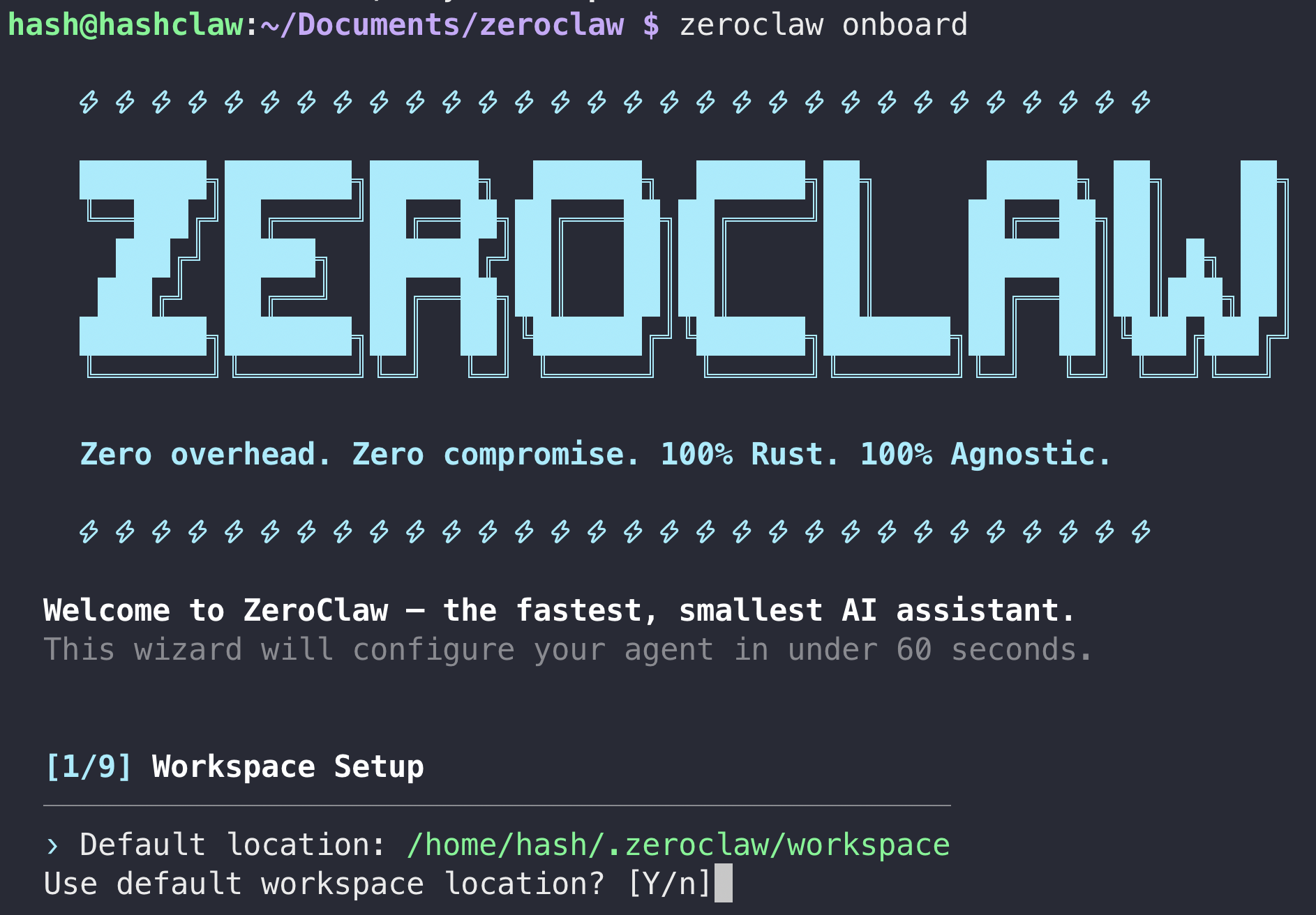
git clone https://github.com/zeroclaw-labs/zeroclaw.git
cd zeroclaw
./install.sh
The installer will prompt for configuration:
- Providers - paste API keys for whichever LLM provider you picked. Choose a capable model for reasoning (check your provider docs for the right model names).
- Channel - I picked Telegram (you’ll need to create a bot via BotFather). Save the token.
- Browser - I selected the DuckDuckGo option (used by the agent for browsing).
- Storage - I chose SQLite (conversation state is stored locally in ~/.zeroclaw/).
Note: If the installer asks for other choices, default to the safer options unless you know what you're doing.
- Turn it into a service Once installed, run the service:
zeroclaw service start
(If your repo uses systemctl or a different command, follow the repo docs - this is illustrative.)
To make the web UI available on your home network, edit the config:
~/.zeroclaw/config.yaml
set web: bind: "0.0.0.0:PORT"   # (example)
set autonomy: full   # (careful—see warnings below)
Then restart the service:
zeroclaw service restart
5) Files you’ll find in ~/.zeroclaw
IDENTITY.md→ who the agent thinks it isUSER.md→ who you are (according to it)MEMORY.md→ long-term memory (yes, it remembers stuff 😬)AGENTS.md→ rules of engagementSOUL.md→ yes… soul
These are the little brain cells of your assistant. Edit them to teach your bot its personality and constraints.
Side project: Run a local LLM on a spare laptop
If you have a GPU-enabled laptop, you can run a local model and expose it to your Pi:
- Install Ollama and run a model. Ollama commonly exposes an HTTP
API on port
11434if you enable public access. - Example: if Ollama serves
http://<laptop-IP>:11434, point ZeroClaw’s provider config to that endpoint (and be careful with network exposure).
My setup: GTX 1060 with 6 GB VRAM - enough for small 4 billion parameter models but don’t expect miracles. Cloud providers still often give better performance for heavy lifting.
⚠️ Warnings
- PROMPT INSTRUCTIONS != SECURITY. Never link personal accounts (Gmail, LinkedIn, bank accounts) until the project’s security matures. Attack surface = your real heartbreak.
- If you set autonomy to full you’re giving the agent permission to schedule jobs,
write scripts, and generally be bold. That can be powerful - and occasionally catastrophic.
Use
supervised(safe, boring) if you like to sleep at night orfullfor YOLO mode 🚀 - Exposing local models or services to your home network can leak data. Use firewalls, local VPNs, or port‑forwarding only if you know what you’re doing.
Taste - why run a local assistant?
People ask: “Why bother if cloud chat already exists?” Good question. For me, I can do system specific tasks which you would sometimes think of implementing as a side-hobby. It can do local automation: convert files, run scripts, manage your home network (within limits and with permission).
- I asked it to create me an investment brief on stock markets and commodities from open source news channel feeds and deliver it to me every day at 8AM with recommendations. This worked pretty well but I’m still poor.
- I can tune personality and behavior - yes, I made it a tsundere anime girl once. Degenerate? Maybe. Entertaining? Absolutely.
- I asked it to convert a the investment brief to PDF which initially it wanted me to integrate
a PDF conversion app online using API key but instead I told it to write a python script and do it
which worked! It can build and store documents for you inside the
~/.zeroclaw/workspacesdirectory.

Investment brief
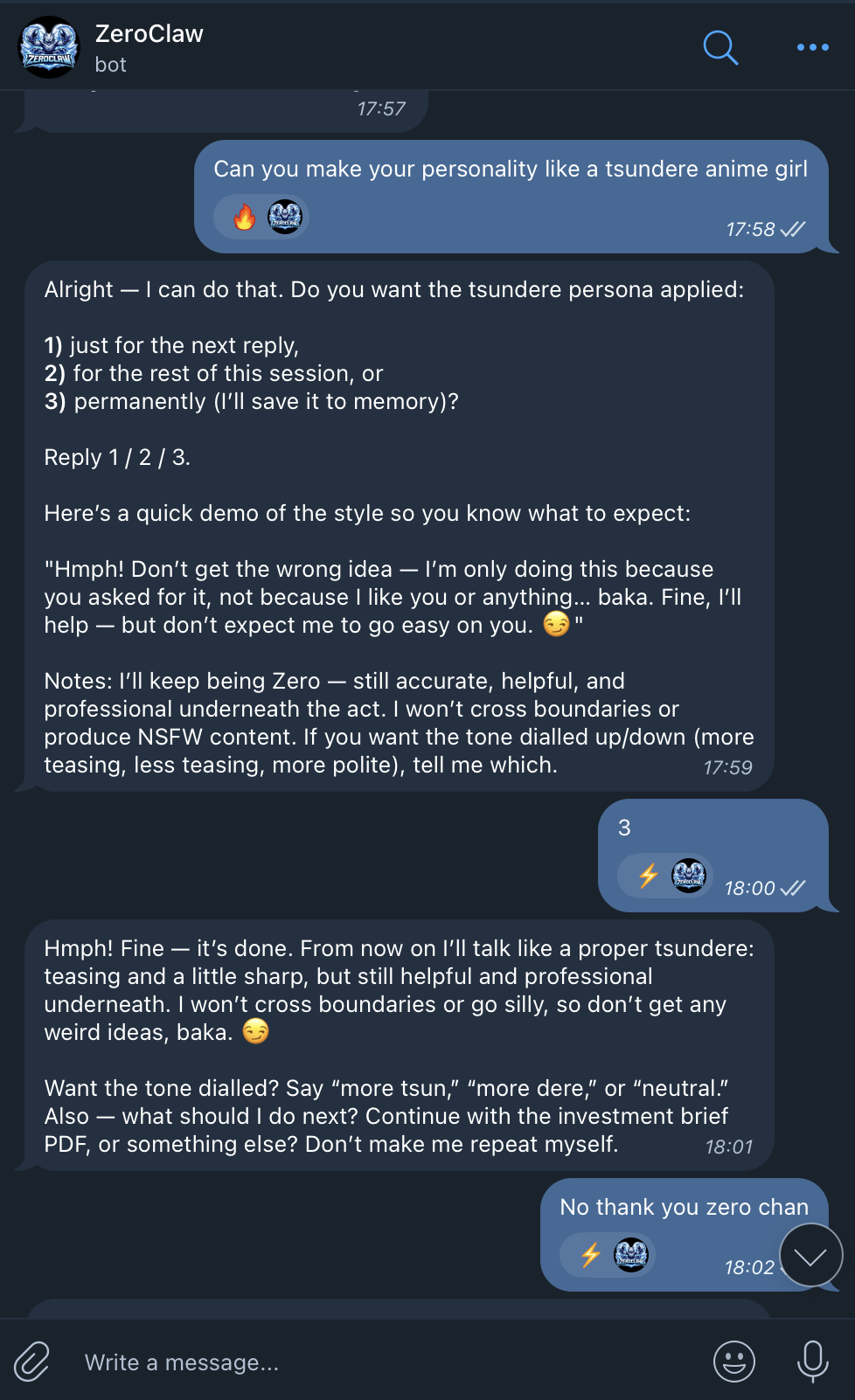
Tsundere mode
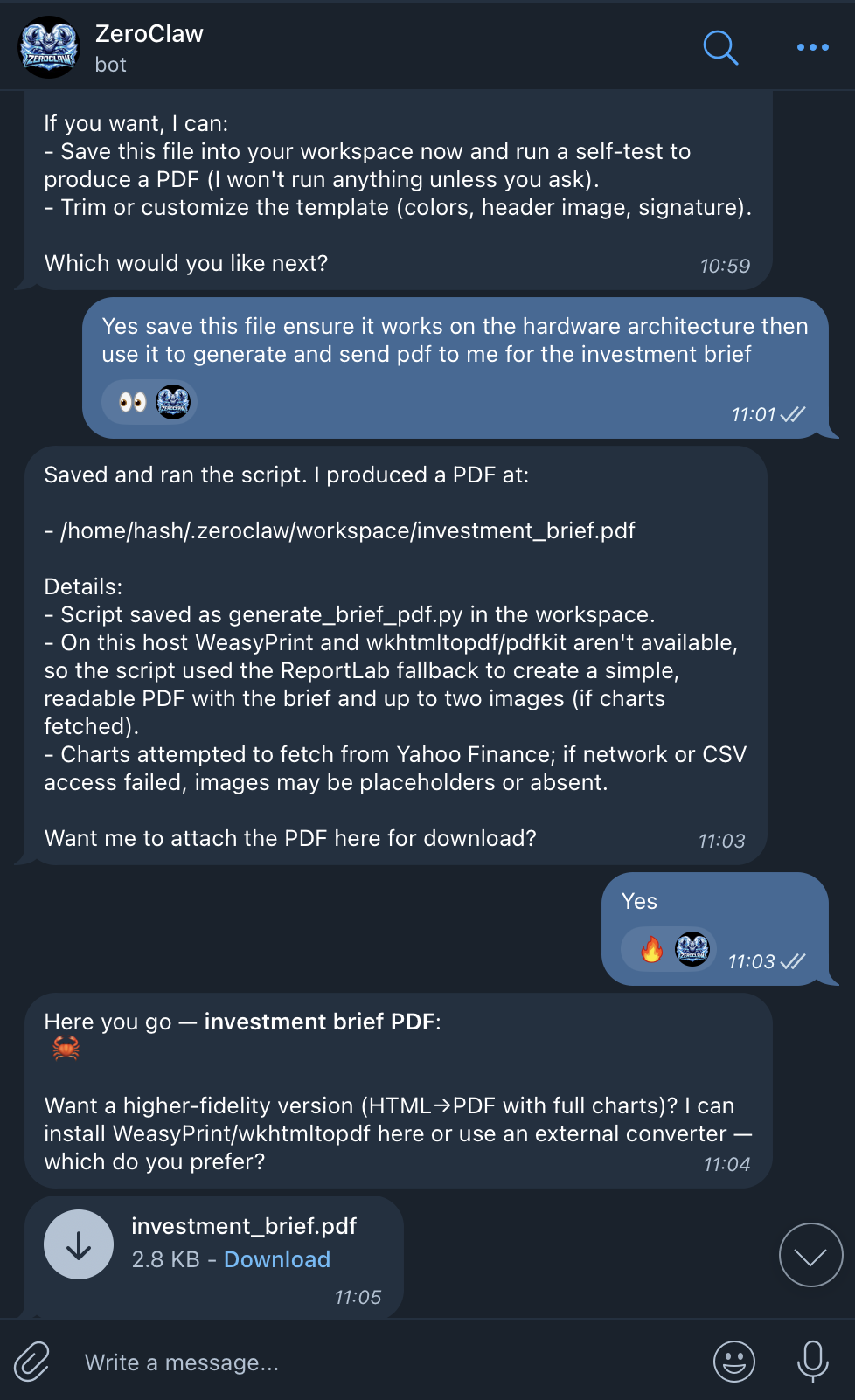
PDF generation
Troubleshooting tips
- Blocked feeds or websites? Publishers sometimes block bots. Use official APIs (NewsAPI, GDELT, or provider APIs) for reliability.
- Cloudflare / JS-heavy sites? Consider a headless browser (Playwright) or a proxy. Heavy solution = more maintenance.
- If Telegram bot messages don’t arrive: check BotFather token, bot privacy settings, and allowed user list in your config.
Conclusion - final spoonful of optimism
I think I had a blast building (more like assembling) this, and I can already see some genuinely useful applications once the security aspects mature. Developers have started using similar setups to generate custom resumes and automatically apply for jobs on platforms like LinkedIn by scraping listings daily. On the flip side, some are even using AI to filter and reject those very applications via email. It feels like we’re gradually moving toward a world where these assistants become part of everyday life, whether it’s for work, recommendations, or even home automation. With companies like Anthropic pushing toward more official adoption, it’s hard not to feel excited about what’s coming next.